Bring your own reading
Import EPUBs, PDFs, documents, and web articles into one organized library.
Your books. Your articles. Your pace.
A full e-reader with speed reading built in. Bring your EPUBs, PDFs, and articles together, and find a reading rhythm that feels like you.
Available for iPhone, iPad, and Mac · Free download · Optional Pro
There is a pleasure in opening a book and finding a little room to think. The world can wait for a page or two.
Some stories invite you to linger. Others carry you forward. Choose a pace that leaves space for both.
Illustration of reading modes. Explore the app below.
From the book on your nightstand to the article you saved for later, make your reading list feel a little more manageable.
Import EPUBs, PDFs, documents, and web articles into one organized library.
Adjust words per minute and chunk size. Read normally, or switch into speed mode when it suits the material.
Use focus mode to simplify the reading experience and keep the text in front of you.
Keep your place and see your reading stats over time, one session at a time.
Speed reading is easier to understand when you see it. Press play, then adjust the pace.
This browser demo shows a simple word-at-a-time reading technique. Nimbus gives you a full library and more reading controls.
Ready to start.
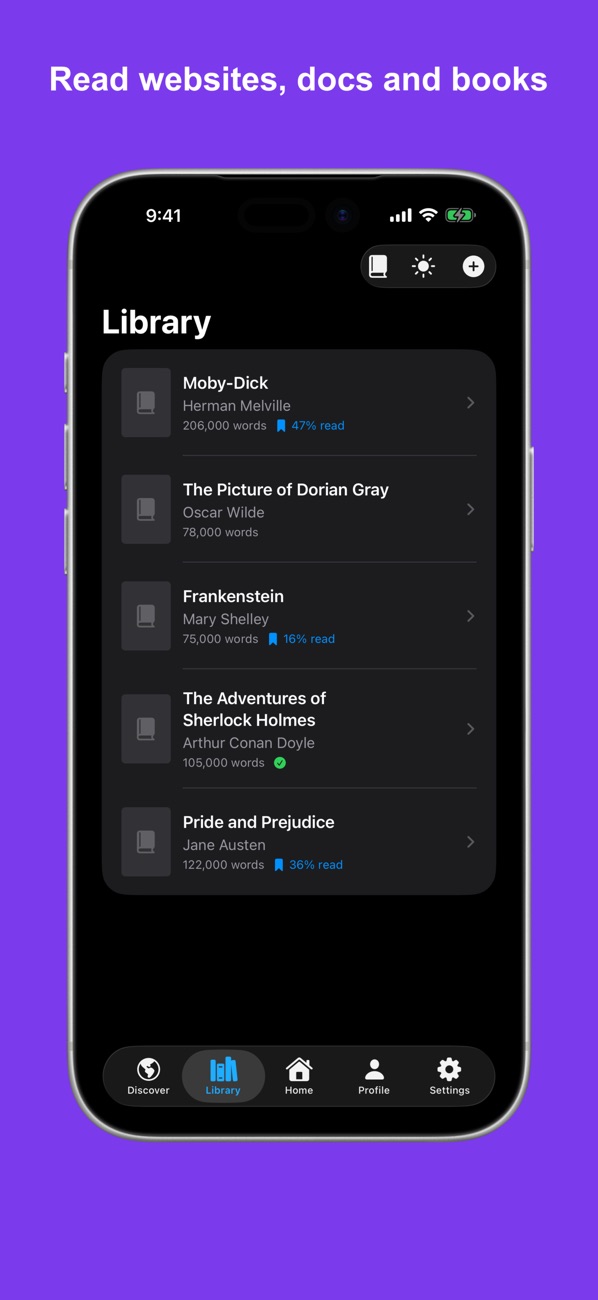
A reader you'll want to return to
Keep your books, documents, and articles together. Return to your place, follow your progress, and choose a visual palette that feels comfortable.
Import a file, paste text, or add a web link from the Library.
Settle into a page or use speed mode at a pace you control.
Come back to your saved progress. Pro adds cloud sync across your devices.
Simple explanations to help you find a useful pace and understand what speed reading can—and can't—do.
Import DRM-free EPUBs, PDFs, TXT and HTML files, paste text, or add web links. Some protected books cannot be imported.
Speed mode presents words or small chunks of text at a pace you choose. Adjust words per minute and chunk size to find a comfortable rhythm. You can also read normally.
Nimbus is free to download with optional Pro subscriptions. You can see the current features and prices in the app before subscribing.
Yes. Nimbus is available for iPhone, iPad, and Mac.
Cloud sync is a Pro feature. Sign in with the same account on each device to sync your library and reading progress.
Reading speed and comprehension vary with the material and the reader. Start at a comfortable pace, check what you remember, and slow down for complex passages. A higher WPM setting is not a guarantee of better reading.

Bring your reading list to Nimbus.
Download on the App StoreAvailable for iPhone, iPad, and Mac.